Relex trade promotion planner
Web app • Product design • 2023

Role
Product designer
Team
PM and developers
Timeline
2023
Status
Fully designed, ready to build
One shared space for retail teams to plan, optimize and evaluate trade promotions.
The problem
Trade promotions are a big deal for retailers. Planning them involves a lot of people, a lot of data and a lot of money, and the decisions category managers and promo planners make have a direct impact on sales and margins.
The goal was a tool where teams could plan promotions together, get help making better decisions, and see clear insights from start to finish.

My role
I was the product designer on the trade promotion planner. I worked on user research, designed the web app, built prototypes and ran user testing to check the ideas with real users. I worked closely with a product manager and the developers, designing for the category managers and promo planners who would use the tool every day.
The process
I started with interviews and workshops with users, plus sessions with internal stakeholders, to understand how category managers and promo planners work today and what they need to make good decisions.
From there, the work followed the way planners actually think about a promotion, in three steps:
Plan. Set up promotions and see them together in one shared space, so everyone works from the same picture.
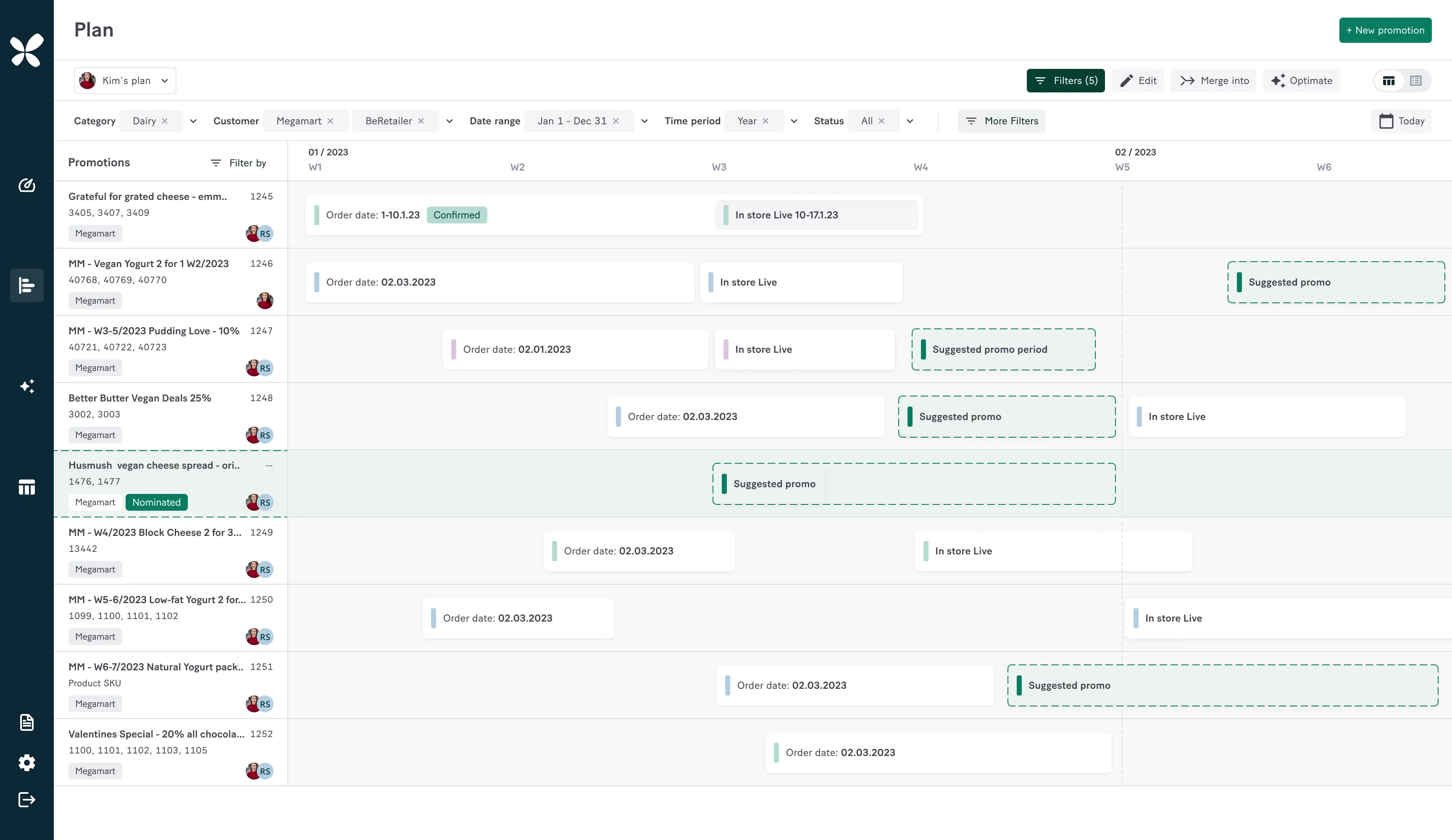
Plan: every promotion in one shared calendar.
Optimize. Compare options and get support to pick the setup most likely to pay off.
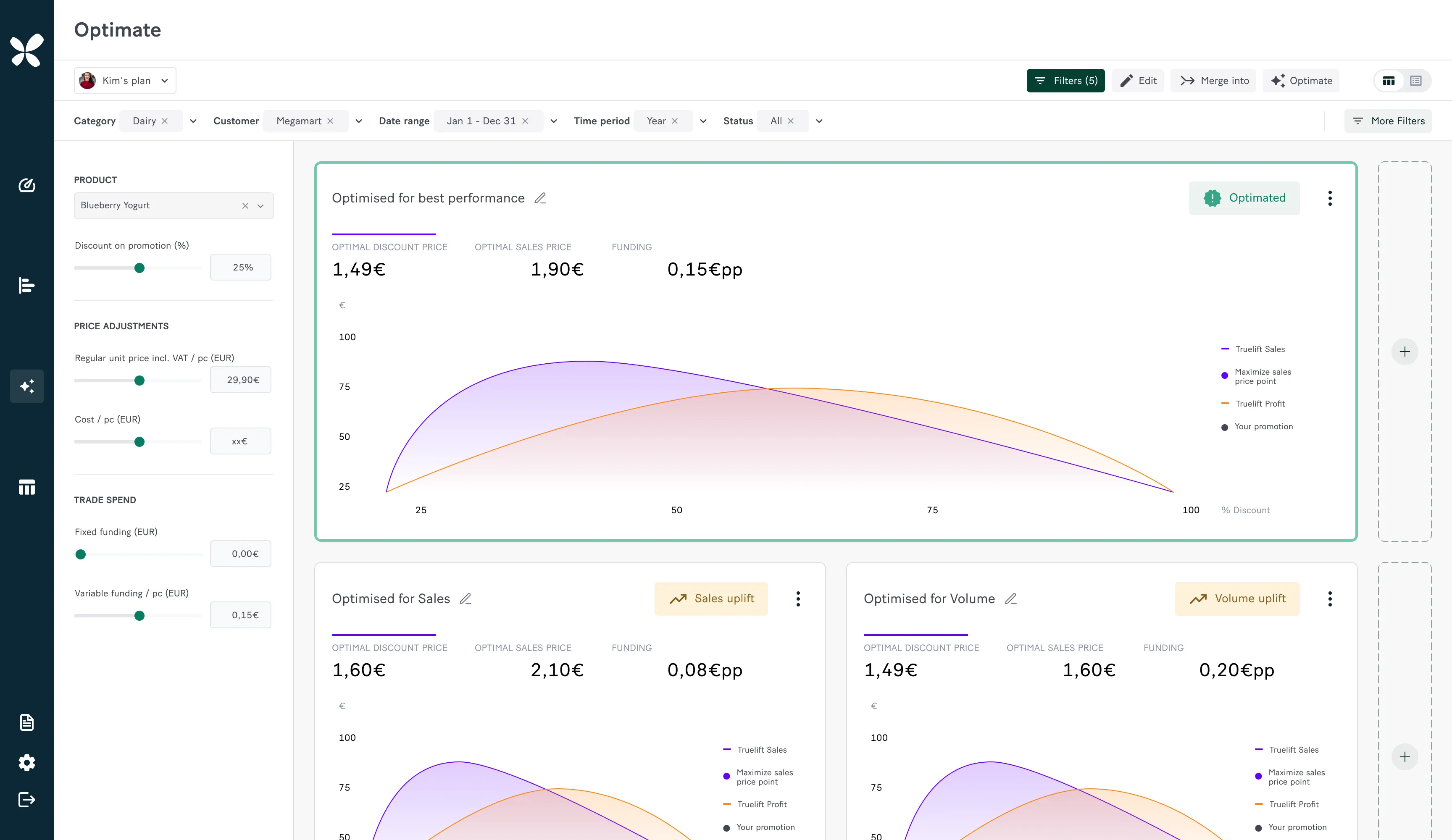
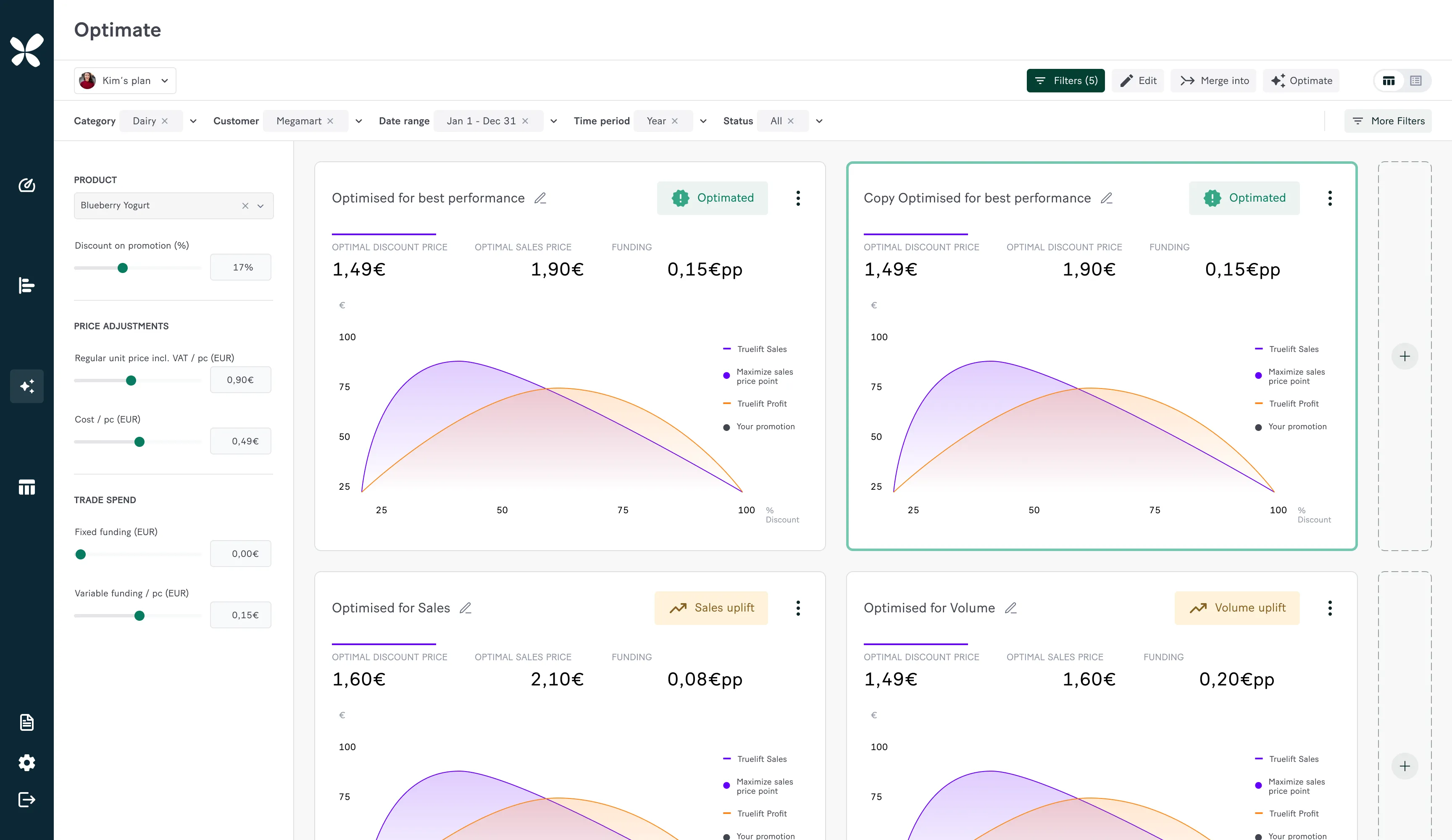
Optimize: comparing setups side by side before committing.
Evaluate. Look back at how each promotion performed, with insights that feed into the next round of planning.
Key decision: two ways to read results
The hardest call was the evaluate step. Some users just wanted a quick answer to “did this promotion work?”, while others needed to dig into every number. One view couldn’t do both well, so I designed two: a visual overview for quick checks, and a detailed table for deep dives.

Evaluate: the detailed table for planners who want every number.
I prototyped the key flows and tested them with users, then refined the design based on what they told us.
The solution
The final design brings the whole promotion cycle into one web app:
A dashboard with an overview of all promotions and how they’re doing
A planning view where teams build and adjust promotions together
Optimization views that help compare options before committing
Evaluation views, including a detailed table, to see what worked and what didn’t

The outcome
I moved on from Relex before the planner went live, so I don’t have launch numbers to share. By the time I left:
The full flow, from planning to optimizing to evaluating, was designed end to end
The key flows had been tested with users, and their feedback shaped the final design
The designs were complete and ready for the team to build
If I’d been there for the launch, this is what I’d have tracked to see if it worked:
How long it takes to set up a new promotion
How often teams plan promotions together in the tool
How often planners use the optimize suggestions
How promotion results compare to before the tool
What I learned
Not every user reads data the same way. Designing two views for one step felt like extra work at first, but it was the only way to serve quick checks and deep dives without compromising either. I now look for that split early in every data-heavy product.