Relex workforce shift view
Web app • Product design • 2022–2023

Role
Senior Product Designer
Team
PM and developers
Timeline
2023
Status
Fully designed, ready to build
A new shift view that lets planners see weeks of shifts at once, spot warnings fast and edit 100+ employees in one go.
The problem
Shift planners in retail make sure the right people, with the right skills, are working at the right time. To check if a plan was good and catch anything that needed fixing, they had to keep jumping between day, week and month views.
The old shift view made this slow. It showed a short time frame, warnings were easy to miss, and there was no simple way to make the same change for many employees at once.
The goal was a new shift view that could show multiple weeks at once, highlight warnings clearly and support mass edit actions.


My role
I was the product designer on the shift view redesign. I ran user research, designed the web app, built prototypes, tested them with users and handed the final designs over to development.
The process
I started by mapping how planners actually work through a schedule: checking the quality of the plan, scanning for problems and fixing them before shifts get published.

From there, the work focused on four areas:
1. Warnings first. Scanning for warnings is one of the most important parts of a planner's day. Warnings come in different levels, and hard warnings need action right away. I designed clear highlights so planners can spot them at a glance, both in the multiweek view and in the intraday view.


2. A side panel for shift details. Planners need the full picture of a shift without leaving the multiweek view: warnings, tasks, start and end times, and punches. Clicking a shift opens a side panel with all of it in one place.

3. One shift component for every view. The shift view had to scale from a single day to several weeks. I designed a work shift component that adapts to each view while keeping the key information visible.

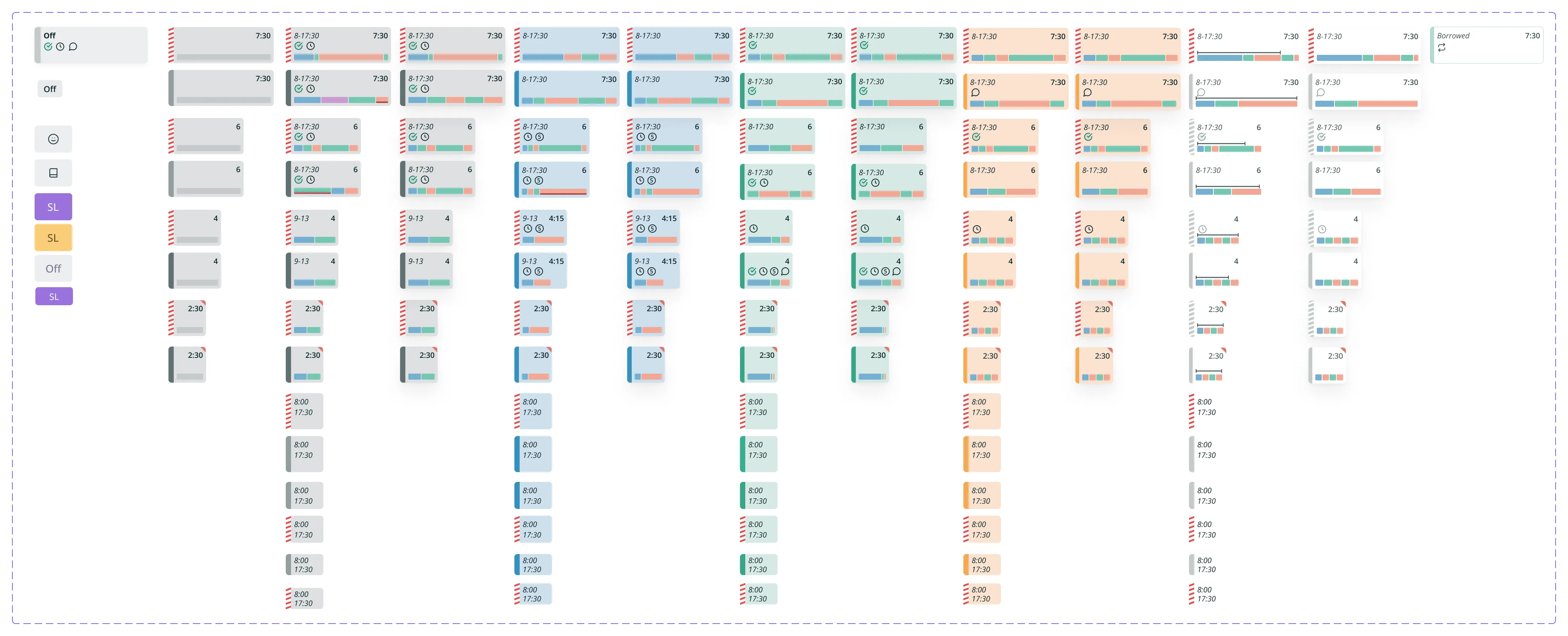
4. A graph for employee allocation. On a multiweek view, planners need to see if a shift has unnecessary tasks or is missing specific ones, so they can assign people with the right skills. I replaced the old allocation view with a graph that makes this easy to read.


I prototyped the key flows and ran test runs with key customers and super users, then refined the design based on their feedback.
The solution
The new shift view gives planners everything they need to build and check a schedule in one place:
A multiweek view that shows several weeks of shifts at once
Warning highlights by severity, so the urgent ones stand out
Mass edit actions that work across 100+ employees
A side panel with every detail of a shift
One shift component that works in every view
An allocation graph to spot weak shifts before publishing
The outcome
The new version was still in development at the time, but validation and test runs with key customers and super users showed clear results:
Faster mass actions. Making changes across 100+ employees became significantly quicker.
Less time hunting for warnings. Planners could find problems faster and spend more time building good quality shifts.
Better shifts before publishing. The allocation graph helped planners quickly spot weak shifts and fix them before they went out. That matters, since bad shifts hit KPIs and daily budgets directly.